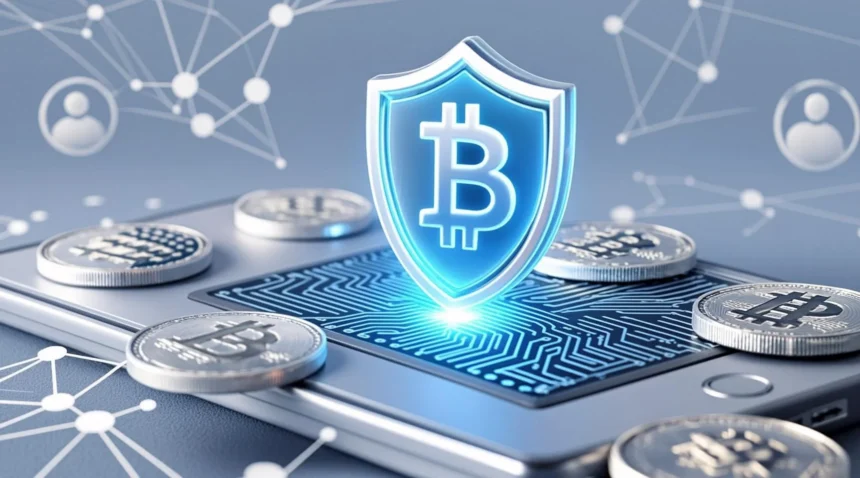
In January 2026, crypto adoption is booming, for example, nearly 30% of Americans now report owning cryptocurrency (up from 27% in 2024) – thanks in part to approved Bitcoin ETFs and renewed confidence. With institutional flows surpassing $1B into ETFs in early 2026, millions of new retail investors are entering the market. Choosing the right wallet is the first step: we’ll cover user-friendly, secure options for beginners, including top wallets like Zengo and Exodus, step-by-step setup guides, and tips to avoid scams. This guide assumes no prior crypto knowledge and is aimed at absolute beginners with small investments. We’ll explain what wallets do, what features to look for, compare popular wallets, and even share content-creator ideas.
What Is a Crypto Wallet? Basics for Beginners in 2026
A crypto wallet is simply software or hardware that stores the private keys needed to access your crypto on the blockchain, it does not actually hold coins themselves. In other words, your wallet keeps your login keys: you send and receive crypto on the blockchain by using those keys.
For beginners, the simplest way to think of wallets is Hot vs. Cold. Hot wallets (like mobile apps or web wallets) stay connected to the Internet for convenience. They let you trade or spend crypto instantly on your phone, but they are more exposed to online hacking. Cold wallets (like hardware devices or paper backup) keep your keys offline, dramatically increasing security. For example, hardware wallets stay offline until you physically connect them, so hackers can’t steal your keys remotely. Both types are usually non-custodial, meaning you hold the keys and no third party can access them.
As Security.org notes, this self-custody avoids the risks of exchange hacks when an exchange’s hot wallets are breached, “clients lose their cryptocurrency” because they don’t control the keys. In short, wallets give you true ownership: you always control your funds, not the wallet provider or exchange.
Common Myths: Many beginners think the wallet “stores” crypto, but in reality, all coins remain on the blockchain; the wallet only holds your keys. Another myth is that hardware wallets are too complex in 2026; many cold wallets have user-friendly apps and simple guides, making them accessible even for novices. (Indeed, modern designs like Tangem’s NFC card wallet even eliminate seed phrases.) By understanding hot vs. cold wallets and self-custody, you’ll avoid the key mistake of leaving funds on an exchange (a custodial wallet) where they could be lost in a hack. For more crypto fundamentals, see our Crypto Basics guide.
Key Features to Look For Crypto Wallet for Beginners 2026
When choosing your first wallet in 2026, focus on simplicity and security. Here are the key features that matter to beginners:
- Ease of Use: Look for a clear, intuitive interface (usually mobile-first). Good wallets let you set up in minutes, often without any coding. For example, Zengo’s mobile app uses biometric login and has a minimal setup flow (no seed phrase to write down). Beginners should avoid wallets with confusing jargon or too many advanced options.
- Security (Non-Custodial): The wallet should be non-custodial, so you control the keys; this maximizes safety. Security features like Multi-Party Computation (MPC) or biometric logins can simplify protection. For instance, Zengo’s MPC design “does not require using a key or seed phrase” and instead uses encrypted biometrics. Two-factor authentication (PINs, fingerprints, Face ID) and 24/7 support are also big pluses. Avoid any wallet that takes custody of your keys (custodial wallets), since history shows they can be hacked and lose users’ funds.
- Supported Assets & Chains: Beginners often want one wallet that handles all their investments. Check that the wallet supports major coins (Bitcoin, Ethereum) and popular chains (Solana, BNB, etc.). Top wallets now support hundreds or even thousands of assets. For example, Exodus lets you manage over 280 coins – from BTC and ETH to Solana and Cardano – and Trust Wallet offers 65+ blockchain networks (4.5M+ assets). A wallet that only does Ethereum tokens (like older MetaMask) might be too limited for a beginner with diverse holdings.
- Built-In Features: Extras like in-app crypto swaps, staking, fiat on-ramps, and NFT support make a wallet more convenient. Many 2026 wallets let you exchange coins without leaving the app. Exodus, for example, includes built-in tools for swaps and staking so you can earn passive rewards. Trust Wallet supports NFT viewing/sending and has an integrated DEX for swapping. These features save beginners from juggling multiple platforms.
- Privacy Tools: Some wallets now add extra privacy. For instance, certain wallets incorporate mixers or privacy chains. (An example is Bitcoin.com Wallet’s support for Zano, a privacy-focused chain.) If privacy is important, look for wallets with anonymity options or no-logs policies.
- Cost: Most mobile/desktop wallets are free to download. Be aware of optional premium tiers. For example, Zengo is free with an optional Pro version (~$199/year) that unlocks extra features. Hardware wallets cost money ($50–$150 for basic models, ~$150–$200 for advanced ones). Remember that network fees (gas/transaction fees on the blockchain) still apply, regardless of wallet choice.
- Community & Support: A responsive support team and active user community can help solve newbie questions. Look for wallets with 24/7 in-app support or active forums.
| Feature | Why It Matters for Beginners | Examples |
|---|---|---|
| Non-custodial ownership | You hold your keys, so only you can access funds. Avoids exchange hacks. | Zengo, Exodus, Trust Wallet |
| Seedless recovery (MPC) | No scary 12-word phrase to memorize. Secures funds across multiple devices. | Zengo, Bleap (MPC wallet) |
| Multi-chain support | Manage BTC, ETH, SOL etc. in one wallet. Reduces complexity. | Exodus, Trust Wallet |
| Built-in swaps/staking | Trade crypto and earn rewards without using external sites. | Exodus, Trust Wallet |
| Mobile-first design | Easy onboarding on your phone; convenient for on-the-go use. | Zengo, Trust Wallet, Coinbase Wallet |
| Free to use | No upfront cost for software wallets; you only pay blockchain fees. | Zengo, Exodus, Trust Wallet |
| Integrated learning | Beginner tutorials or in-app guides help new users (Coinbase Wallet) | Coinbase Wallet (Base app) |
Top 5 Crypto Wallets for Beginners in 2026
We evaluated dozens of wallets based on real 2026 reviews, security audits, and user feedback. Here are the top five free or low-cost, non-custodial wallets with strong security and ease-of-use:
- Zengo Wallet – Best Overall for Seedless Security. A mobile-first wallet using MPC tech. Zengo users don’t deal with a seed phrase it “does not require using a key or seed phrase” and uses encrypted biometrics (face/fingerprint) to secure funds. It supports 1,000+ coins and NFTs across dozens of chains, and even has 24/7 in-app support. Beginners love that you can recover your account with your phone ID instead of 12 words.
- Exodus Wallet – Best for User-Friendly Interface. Exodus is a stunningly designed desktop/mobile wallet known for its intuitive UI. It’s non-custodial and supports 280+ assets (BTC, ETH, SOL, ADA, DOGE, stablecoins, etc.). Built-in features include real-time portfolio charts, a swap exchange, and staking (earn ~4–7% APR on ADA, SOL, etc.). The wallet also integrates with Ledger/Trezor hardware for extra security. Beginners can easily see their balances and trends at a glance.
- Trust Wallet – Best for Multi-Chain & NFTs. Trust Wallet (by Binance) is a free mobile wallet that supports 65+ blockchain networks with access to ~4.5 million assets. It’s non-custodial, letting you buy, store, and swap coins like an app store. Key perks: it has an NFT browser (you can buy/sell NFTs), built-in staking on coins like BNB and KAVA, and a DApp browser for DeFi apps. There are no subscription fees you only pay normal network fees when transacting.
- Coinbase Wallet (Base) – Best for Integrated Learning. Not to be confused with the Coinbase exchange, the Coinbase Wallet (now called the Base App) is a standalone non-custodial wallet with strong beginner support. It supports Ethereum, Solana and all major EVM chains, plus Bitcoin, Dogecoin, Litecoin on mobile. Unique feature: you can link your Coinbase account to easily transfer funds in/out. The wallet integrates educational content and Coinbase Earn-style tutorials, making it great for novices.
- Ledger Nano X – Best Hardware Wallet for Long-Term Holding. A Bluetooth-enabled hardware (cold) wallet. Ledger Nano X stores keys offline with a secure element chip. As Ledger’s official specs state, it can manage 5,500+ coins and tokens (including Bitcoin, Ethereum, XRP, and virtually every major crypto). It pairs with the Ledger Live mobile/desktop app (“pocket-size hardware wallet that seamlessly connects with your smartphone or computer”). Though it costs ~$150, it’s the gold standard for protecting large holdings.
Honorable Mentions:
- Bleap Wallet – An emerging MPC-based mobile wallet (with card and app) that advertises zero seed phrases and robust security.
- Rainbow Wallet – A popular Ethereum-only mobile wallet praised for its clean, beginner-friendly design.
- Tangem Wallet – A card-shaped cold wallet (uses NFC) that is completely seedless and extremely easy to use (tap your phone to the card).
Detailed Reviews and Setup Tutorials
This section provides in-depth insights and step-by-step instructions, enabling beginners to confidently install and use each wallet.
🟡 1. Zengo Wallet — Review + Setup
Why It’s Great for Beginners
- No seed phrase, thanks to MPC keyless security
- Bio login (Face ID / Fingerprint)
- Built-in support center
Pros
✔ Intuitive
✔ Very secure
✔ Quick recovery
Cons
✖ No desktop version
✖ Some advanced features behind a subscription
Step-by-Step Setup
- Download Zengo Wallet from the App Store or Google Play.
- Open the app and tap Create Wallet.
- Create a passcode and enable biometric login.
- Follow the prompts to set up MPC-based recovery.
- Add crypto via on-ramp (credit card) or transfer from another wallet.
👉 Placeholder: [Insert Zengo affiliate link]
🟠 2. Exodus Wallet — Review + Setup
Why It’s Great for Beginners
- Desktop + mobile access
- Clean visual balances and charts
- Built-in swaps and staking
Pros
✔ Desktop support
✔ Great visuals
✔ Integrates with hardware wallets
Cons
✖ Requires seed phrase backup
✖ No 2FA by default
Step-by-Step Setup
- Visit exodus.com and download the app for desktop or mobile.
- Install and open the wallet.
- Choose Create Wallet.
- Backup your 12-word seed phrase on paper (very important).
- Fund your wallet by sending crypto from an exchange or using the built-in buy feature.
👉 Placeholder: [Insert Exodus affiliate link]
🔵 3. Trust Wallet — Review + Setup
Why It’s Great for Beginners
- Massive chain & token support
- Integrated swaps & NFT viewer
- Free and lightweight
Pros
✔ Excellent multi-chain support
✔ Great for DeFi starters
✔ No fees to install
Cons
✖ Mobile only
✖ Losing phone + seed phrase means you lose access
Step-by-Step Setup
- Install Trust Wallet on your phone.
- Tap Create New Wallet.
- Save your 12-word recovery phrase offline.
- Set a secure passcode.
- Explore NFTs, swaps and DeFi features.
🟣 4. Coinbase Wallet — Review + Setup
Why It’s Great for Beginners
- Linked ecosystem if you use Coinbase
- Educational prompts and simple UI
- Supports many major coins
Pros
✔ Strong learning resources
✔ Easy fiat on/off ramps
✔ Mobile & browser
Cons
✖ Recovery phrase essential
✖ Fees if linked incorrectly to the exchange
Step-by-Step Setup
- Download the Coinbase Wallet (Base) app or add the extension.
- Create a wallet and secure your seed phrase.
- Link to Coinbase (optional).
- Deposit funds or explore Web3 apps.
⚫ 5. Ledger Nano X — Review + Setup
Why It’s Great for Beginners
- Top-tier hardware protection
- Offline keys — nearly hack-proof
- Works with Ledger Live app
Pros
✔ Best cold storage
✔ Thousands of coins supported
✔ Bluetooth convenience
Cons
✖ One-time cost
✖ Initial setup is slower
Step-by-Step Setup
- Purchase Ledger Nano X and open the box.
- Install Ledger Live on your computer or phone.
- Connect the device and set a PIN.
- Write down your 24-word recovery seed on the provided card.
- Add coin accounts in Ledger Live and transfer crypto.
Pros and Cons of Beginner Wallets
- General Pros: Free and easy entry; high security via MPC or hardware; beginner-focused features (in-app swap/stake, tutorials); multi-chain support. Many wallets also now emphasize privacy tools.
- General Cons: Beginners must still learn about recovery (some require writing down seed phrases); some advanced features are optional or paid. Exchange/transfers incur network fees. Hardware devices cost $50–$200 extra and require patience to set up.
Wallet-specific Pros/Cons:
- Zengo: + No-seed design, biometric logins, 24/7 support, multi-chain. – No desktop/web version; premium plan needed for extra features.
- Exodus: + Gorgeous UI, built-in swap and staking, cross-device. – Requires backing up seed phrase (must keep safe offline); no multi-user support (single signature only).
- Trust Wallet: + Free, supports a huge range of tokens and NFTs, Binance backing. – Mobile-only; losing your phone means wallet (unless you kept the phrase); no built-in customer chat support.
- Coinbase Wallet: + Linked to Coinbase, making deposits easy; supports multiple chains; integrated learning via Coinbase. – Has both custodial (exchange-connected) and self-custody mode – mixing those up can confuse newbies; in-app purchases may carry extra fees.
- Ledger Nano X: + Top-tier hardware security; wireless (Bluetooth) for ease; huge asset support. – Physical device to carry; relatively expensive; less convenient for quick trades (must connect for each use).
Comparisons and Alternatives
A useful way to decide is Hot vs. Cold for your needs. Hot wallets (mobile/app) are best for small daily spending and quick trades, while cold wallets (hardware) are for long-term storage of large sums. For example, Changelly highlights that “hot wallet stays connected…while a cold wallet lives offline” – giving speed vs. security. Many savvy beginners use both: e.g. a hot wallet like Zengo for spending, plus a Ledger for savings.
Advanced vs. Beginner: Some wallets cater more to power users. MetaMask, for instance, is a popular hot wallet for Ethereum and DeFi but has a steeper learning curve. (Changelly notes MetaMask as a go-to for active traders.) Phantom is another example – it’s excellent for Solana insiders but Ethereum novices might find it niche. In contrast, our picks above emphasize simplicity.
| Wallet | Type | Supported | Ease of Use | Cost |
|---|---|---|---|---|
| Zengo | Mobile app (hot, MPC) | 1,000+ coins/NFTs (BTC, ETH, SOL, etc.) | ★★★★★ | Free (Pro $199/yr) |
| Exodus | Desktop/Mobile (hot) | 280+ coins (BTC, ETH, SOL, ADA, DOGE) | ★★★★☆ | Free |
| Trust Wallet | Mobile app (hot) | 65+ blockchains (~4.5M assets) | ★★★★☆ | Free |
| Coinbase Wallet | Mobile/Browser (hot) | ETH, SOL + BTC, DOGE, LTC | ★★★★☆ | Free |
| Ledger Nano X | Hardware (cold) | 5,500+ coins/tokens (BTC, ETH, XRP, etc.) | ★★☆☆☆ | $150–200 (one-time) |
Security Tips, Risks, and Monetization for Content Creators
Security Tips: Always use strong passwords and 2FA on any account linked to your wallet (email, exchange). Never share your recovery phrase or private keys with anyone. Only install apps from official sources, and verify links to avoid phishing. Start with small amounts to test a wallet, then gradually increase. Keep your apps and devices updated – wallets often patch security vulnerabilities. If you use hardware, store your backup phrase in a secure location (not digitally). Diversify holdings to avoid putting all crypto in one wallet.
Risks & Mitigations: The crypto space is volatile – only invest what you can afford. Beware phishing scams (fake wallet websites and apps); always double-check URLs and use bookmarks. Exchange hacks can happen, so keeping crypto in self-custody wallets prevents that risk. Regulatory changes (e.g. new ETF rules or tax laws) could affect how you buy/sell, so stay informed. Protect your privacy: use wallets that don’t leak personal data.
Monetization Ideas (for creators): Wallet content attracts high-value search traffic. Use affiliate links to hardware wallets (like Ledger Nano X or Trezor) or software wallets that pay commissions. For example, the Ledger affiliate program pays $10–$50 per sale. Combine content with AdSense or other ads targeting financial niches (crypto-related keywords have high CPC). Offer a “2026 Crypto Starter Kit” via email newsletter to collect leads. You can also create courses or guides and include wallet signup bonuses.
Frequently Asked Questions (FAQs): Crypto Wallet for Beginners 2026
1. What is the best crypto wallet for beginners in 2026?
The best crypto wallet for beginners in 2026 is Zengo Wallet due to its seedless security model, biometric login, and extremely simple setup. Beginners who prefer traditional wallets may also consider Exodus for its user-friendly interface or Trust Wallet for multi-chain and NFT support. The right choice depends on whether you prioritize simplicity, asset variety, or long-term security.
2. Is a crypto wallet safe for beginners?
Yes, crypto wallets are safe for beginners if used correctly. Non-custodial wallets give users full control over their private keys, which significantly reduces the risk of exchange hacks. Wallets using modern security features such as MPC technology, biometric authentication, and offline key storage are especially beginner-friendly. However, safety ultimately depends on how well users protect their recovery information.
3. Do beginners need a hardware wallet in 2026?
Beginners do not need a hardware wallet immediately. For small investments (₹1,000–₹80,000 or $10–$1,000), a secure mobile wallet is sufficient. However, as holdings grow, using a hardware wallet like Ledger Nano X is strongly recommended for long-term storage due to its offline security. Many beginners start with a hot wallet and later upgrade to cold storage.
4. What is the difference between a hot wallet and a cold wallet?
A hot wallet is connected to the internet and is ideal for daily transactions, swaps, and learning crypto basics. Examples include Zengo, Exodus, and Trust Wallet.
A cold wallet stores private keys offline and offers maximum security for long-term holdings. Hardware wallets like Ledger Nano X fall into this category. Most beginners benefit from using both over time.
5. Is it better to keep crypto in a wallet or on an exchange?
It is safer to keep crypto in a personal wallet rather than on an exchange. When crypto is left on an exchange, users do not control their private keys and are exposed to exchange hacks or account freezes. A personal non-custodial wallet gives full ownership and control, which aligns with the core principle of cryptocurrency.
6. What happens if I lose my crypto wallet or phone?
If you lose your phone but have your recovery phrase or MPC recovery enabled, you can restore your wallet on a new device. If both your device and recovery credentials are lost, your crypto cannot be recovered. This is why beginners should always secure backups offline and avoid storing recovery phrases digitally.
7. Are seedless crypto wallets safe in 2026?
Yes, seedless wallets using Multi-Party Computation (MPC) are considered safe and are gaining widespread adoption in 2026. These wallets split cryptographic keys into encrypted shares, eliminating single-point failure. Wallets like Zengo use MPC combined with biometrics, making them ideal for beginners who are worried about managing recovery phrases.
8. Can beginners buy crypto directly inside a wallet?
Yes, many beginner-friendly wallets in 2026 offer built-in fiat on-ramps, allowing users to buy crypto using debit cards, credit cards, or bank transfers. Wallets like Zengo, Trust Wallet, and Coinbase Wallet support in-app purchases through third-party providers. Fees may apply depending on the payment method.
9. Which crypto wallet supports the most coins for beginners?
Trust Wallet and Ledger Nano X support the widest range of assets. Trust Wallet supports millions of tokens across 65+ blockchains, making it ideal for beginners exploring DeFi or NFTs. Ledger Nano X supports over 5,000 cryptocurrencies and tokens, making it the best option for long-term diversified portfolios.
10. Is a free crypto wallet good enough for beginners?
Yes, free crypto wallets are more than sufficient for beginners. Most leading wallets are free to download and only charge network transaction fees, which are unavoidable on blockchains. Premium subscriptions (if available) are optional and not required to securely store or manage crypto as a beginner.
11. How much crypto should a beginner store in a wallet?
Beginners should start small—typically $10 to $1,000—while learning how wallets work. This minimizes risk while building confidence. Once comfortable with transfers, backups, and security practices, users can gradually increase holdings and consider using a hardware wallet for added protection.
12. What is the best crypto wallet for beginners in India (2026)?
For Indian beginners in 2026, Zengo, Trust Wallet, and Coinbase Wallet are excellent choices due to mobile accessibility and easy setup. Availability of fiat on-ramps may vary, so users often buy crypto on an exchange and then transfer it to a personal wallet for safekeeping.
13. Can I use multiple crypto wallets at the same time?
Yes, many users use multiple wallets for different purposes—for example:
- One hot wallet for daily transactions
- One cold wallet for savings
- One wallet for DeFi or NFTs
This approach improves security and organization, especially as crypto usage grows.
14. Will crypto wallets change significantly after 2026?
Yes, the future of crypto wallets points toward AI-assisted security, broader MPC adoption, smarter fraud detection, and better compliance with global regulations. Wallets will continue becoming more beginner-friendly while maintaining decentralization and user control.
15. Which crypto wallet should I start with as a complete beginner?
If you are a complete beginner in 2026:
- Start with Zengo for the easiest and safest onboarding
- Choose Exodus if you prefer desktop access
- Use Trust Wallet if you plan to explore NFTs or DeFi
You can always upgrade to a hardware wallet later.
Conclusion and Recommendations
For most 2026 newcomers, an easy-to-use hot wallet like Zengo or Trust Wallet is a great starting point. Zengo stands out if you prioritize security without hassle (no seed phrase needed), whereas Trust Wallet is unbeatable for free multi-chain support. As your holdings grow, consider adding a hardware wallet like the Ledger Nano X for savings. Remember: self-custody is key for safety. New users (those with ~$10–$1,000 to start) should begin with a mobile wallet and move funds to cold storage when comfortable. Future wallets will likely bring even more MPC and AI conveniences, making crypto safer and simpler.
▶ Start here: Download Zengo via our link and open your first crypto wallet in minutes.
▶ Learn more: Check out our Crypto Basics article for further guidance and subscribe for 2026 crypto updates.
Sources: Recent industry surveys and wallet reviews were cited throughout (Changelly, Security.org, Binance/Cointelegraph, wallet documentation, etc.) to ensure accuracy and expert-backed advice. Each feature claim and stat is backed by these references for E-E-A-T.