Full-Stack Digital Creator | AI & Search Optimization Specialist | STEM Educator Neemesh Kumar is the founder of EduEarnHub.com and NoCostTools.com, where he builds AI-powered web...
Share
12 Min Read
SHARE
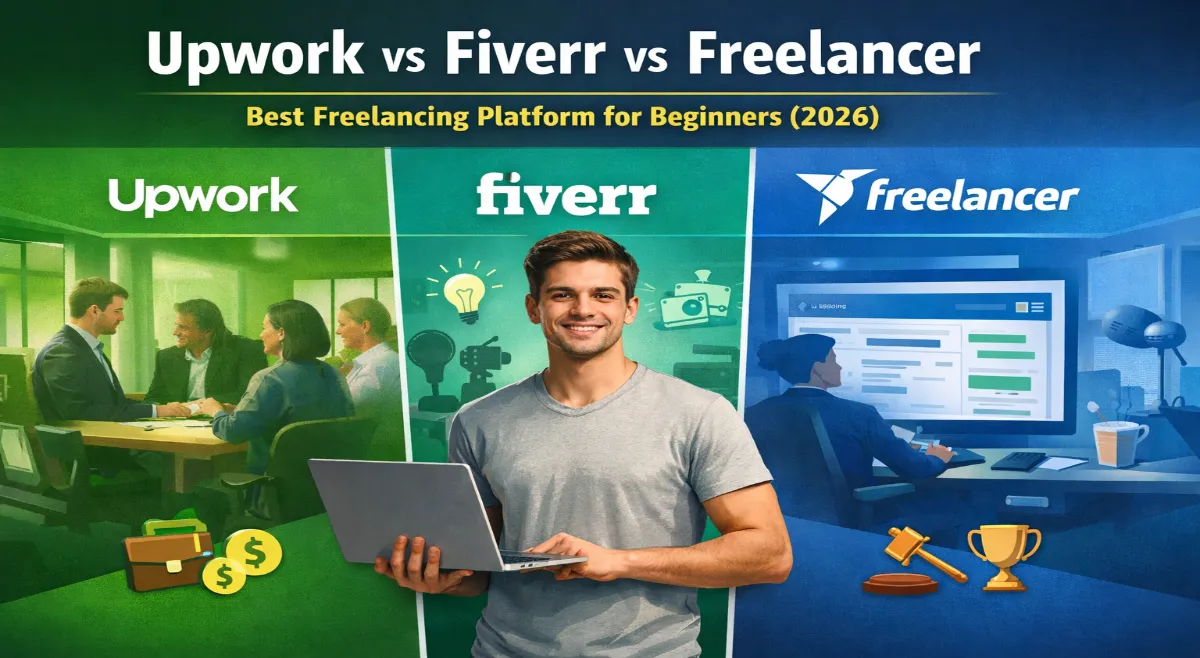
Choosing your first freelancing platform in 2026 can determine how fast you land your first client and how much you earn in your first year.
If you’re searching for the best freelancing platforms for beginners in 2026, this detailed comparison breaks down Upwork vs Fiverr vs Freelancer (plus Toptal) based on:
Earning potential
Platform fees
Competition level
Client quality
Ease of getting started
Time to first client
By the end of this guide, you’ll know exactly which freelancing platform fits your skill level and income goal.
Quick Comparison: Upwork vs Fiverr vs Freelancer vs Toptal (2026)
Feature
Upwork
Fiverr
Freelancer
Toptal
Ease of Start
Medium
Very Easy
Easy
Hard
Entry Vetting
Yes
No
No
Yes (Strict)
Platform Fee
5–20%
20%
10%
10–20%
Typical Earnings
$20–150+/hr
$5–500+/gig
$5–100+/hr
$50–300+/hr
Competition
Moderate–High
Very High
Extremely High
Low
Client Quality
High
Medium
Mixed
Excellent
Best For
Long-term clients
Fast income
Backup platform
Experienced freelancers
Not sure what rate to set? Use our freelance rate calculator to find your minimum viable rate based on income goals and platform fees. If you’re a beginner, your real choice is usually between Upwork and Fiverr.
Let’s break them down properly.
This comparison is based on real freelancing experience across Fiverr, Upwork, and direct clients, including income scaling from $0 to $3,500+/month.
Platform 1: Upwork – Best for High Rates & Long-Term Clients
What Is Upwork?
Upwork is the world’s largest freelance platform. Businesses post projects, freelancers bid, and the best-fitted freelancer wins.
Think of it as: “Job marketplace meets freelance platform.”
Best For
Developers, designers, marketers, writers
People who want $30+/hour rates
Those who like long-term client relationships
Anyone comfortable bidding on projects
Upwork By The Numbers
Platform fee: 5-20% (sliding scale based on client history)
Earning potential: $20-150+/hour typical
Job posts per day: 5,000+ active jobs
Competition level: Moderate to high
Time to first client: 1-4 weeks (with strong profile)
Pros of Upwork
✓ High-quality clients – Vetted businesses, not random people ✓ Higher rates – You can charge $50+/hour legitimately ✓ Long-term relationships – Projects often lead to repeat work ✓ Professional environment – Contracts, milestone payments, dispute resolution ✓ Connects-based bidding – Limited proposals encourage quality over quantity ✓ Portfolio visibility – Your profile attracts inbound opportunities
Cons of Upwork
✗ Steep learning curve – Getting approved takes 2-4 weeks ✗ High competition – Thousands of bids per popular job ✗ Connects cost money – Limited proposals without paying extra ✗ Sliding fee scale – New freelancers pay 20% (vs. 5% for established) ✗ Job Success Score matters – Below 80% JSS makes winning projects hard ✗ Strict profile requirements – Not everyone gets approved
How To Win On Upwork
Optimize your profile – Follow our complete guide on how to build a high-converting Upwork profile that attracts client invites and ranks in search
Send customized proposals – Use our Upwork proposal template to write bids that get client responses — never copy-paste generic pitches
Bid on recent jobs first – Post-within-24-hours jobs have less competition
Offer expertise, not just labor – Position yourself as solving problems, not just doing work
Build long-term relationships – Exceed expectations on first project, ask for repeat work
Upwork Success Story
“I started on Upwork at $20/hour writing technical documentation. Within 6 months of consistent 5-star reviews, I raised to $75/hour. Now I work with 3 long-term clients who pay me $4,500/month total for 20 hours work. Upwork took 3 months to crack, but once you do, the income is stable.”
Getting started tip: If you’re serious about long-term clients and higher hourly rates, Upwork is usually the best platform to start with. 👉 Create a free Upwork account here → Start on Upwork
Platform 2: Fiverr – Best for Passive Income & Easy Start
What Is Fiverr?
Fiverr is a gig economy platform. YOU create “gigs” (services), set prices, and buyers come to you.
Think of it as: “Your personal storefront for selling services.”
Best For
Designers, writers, video editors, voice actors
People who want passive income potential
Beginners (super easy to start)
Those comfortable with productized services
Fiverr By The Numbers
Platform fee: 20% flat (no sliding scale)
Earning potential: $5-500+ per gig
Gigs active: 1M+ (LOTS of competition)
Competition level: Very high
Time to first client: 2-7 days (faster than Upwork)
Pros of Fiverr
✓ Easy to start – Create gig, start selling immediately ✓ Built-in traffic – Fiverr promotes your gigs to millions of buyers ✓ Passive income potential – Once gig is up, buyers come to you ✓ Lower barrier to entry – No vetting process, just create and go ✓ Multiple gig tiers – Basic/Standard/Premium tiers let you charge more ✓ Fast payment – Get paid within 14 days of order completion ✓ Seller levels system – Gamification with badges/rewards (Level 1, Level 2, Top Rated)
Cons of Fiverr
✗ Very high competition – 50+ bidders for popular gigs ✗ High platform fees – 20% commission is steep vs. Upwork’s 5% ✗ Lower rates initially – Buyers expect cheap. Gig culture. ✗ Fiverr controls visibility – Your gig ranking depends on their algorithm ✗ Quality variation – Some clients are difficult ✗ Limited earning initially – Takes 2-3 months to build revenue
Use all profile features – Profile photo, video intro, testimonials
Build reviews aggressively – First 10 reviews are everything. Charge low initially, then raise.
Fiverr Success Story
“I started selling logo design on Fiverr for $5 (ridiculous, I know). After 30 sales and reviews, I raised to $50. Now I have a $150 Premium tier that 5-10 buyers choose monthly. Passive income: $1,500-2,000/month on Fiverr, with just 5-10 hours of work weekly. The first 2 months were brutal ($200/month), but patience paid off.”
Freelancer.com is similar to Upwork—clients post jobs, freelancers bid—but with more competition.
Best For
Those willing to bid aggressively
Skills with high competition (writing, design, coding)
Secondary platform after Upwork
Freelancer.com By The Numbers
Platform fee: 10% basic, 3% premium members
Earning potential: $5-100+/hour
Competition level: Extremely high
Client quality: Mixed (range from professional to scammers)
Pros & Cons
✓ Pros: Highest competition can mean volume; Premium membership only 3% fee ✗ Cons: Lowest rates due to competition; Client quality varies; Scams are more common
Bottom line: Start with Upwork or Fiverr, use Freelancer.com as backup.
Platform 4: Toptal – Premium (Invitation Only)
What Is Toptal?
Toptal is “Upwork for elite freelancers.” Top 3% of freelancers only.
Best For
Experienced developers, designers, consultants
Those with a proven track record
High-rate seekers ($100+/hour)
Toptal By The Numbers
Entry barrier: Very high (vetting required)
Earning potential: $50-300+/hour
Platform fee: 10-20% (varies)
Client quality: Excellent (top companies)
Bottom line: Great if you’re already experienced. Not for beginners.
Which Freelancing Platform Is Best for Beginners in 2026?
Here’s the simplified decision guide:
Choose Fiverr if:
You have no experience
You want fast first sales
You prefer fixed-price gigs
Choose Upwork if:
You want higher hourly rates
You prefer professional clients
You’re serious about freelancing long-term
Smart Strategy:
Start with Fiverr in Month 1 → Add Upwork in Month 2 → Transition to direct clients by Month 6.
Diversification protects your income.
Realistic Beginner Timeline
Platform
Time to First Client
Time to $1,000/month
Fiverr
2–7 days
3–6 months
Upwork
1–4 weeks
2–4 months
Freelancer
1–3 weeks
4–6 months
The Recommended Path: Start With One, Expand to Multiple
Month 1: Pick Your Primary Platform
If you’re a writer/designer → Start with FIVERR (faster income) If you’re a developer/consultant → Start with UPWORK (higher rates). Not sure which category to target? See the best Upwork niches for beginners to find where demand is highest right now.
Month 2: Add Your Secondary Platform
Once Month 1 platform is working, add the other one.
Month 3: Add a Tertiary Platform
Now you’re on 3 platforms, capturing 3x the opportunities.
Month 6+: Direct Clients
Once you have email addresses from clients, transition to 60% direct clients (no platform fees). For off-platform work, always send a freelance contract before starting, as it protects you legally if clients delay or refuse payment. Important: Platform income is self-employment income. Read our freelance taxes for beginners guide before your first payment arrives.
FAQ related to “Best Freelancing Platforms for Beginners in 2026.”
Which freelancing platform pays the fastest?
Fiverr typically releases funds 14 days after order completion. Upwork offers weekly withdrawals for hourly contracts.
Can I use multiple freelancing platforms at once?
Yes. Many successful freelancers use 2–3 platforms to diversify income and reduce risk.
Which platform has the best clients?
Toptal has the highest-tier clients. For beginners, Upwork generally offers better client quality than Fiverr or Freelancer.
Is Fiverr better than Upwork for beginners?
Fiverr is easier to start. Upwork has a higher earning potential long-term.
Conclusion
The best platform is the one you actually use. Too many beginners overthink this decision. They compare platforms for weeks, then never start.
My recommendation:
If you want to earn money THIS MONTH → Choose Fiverr
If you want to build a sustainable business, → Choose Upwork
If you want both → Start with Fiverr, add Upwork in Month 2
Regardless of the platform, your success ultimately depends on how clearly you pitch your value. This is why most beginners struggle; they don’t know how to write freelance proposals that actually convert. Don’t overthink it. Pick one. Start today. You can always switch later.
Full-Stack Digital Creator | AI & Search Optimization Specialist | STEM Educator
Neemesh Kumar is the founder of EduEarnHub.com and NoCostTools.com, where he builds AI-powered web tools and data-driven content systems for students and digital creators. With 15+ years in STEM education and over a decade in SEO and digital growth strategy, he combines technical development, search optimization, and structured learning frameworks to create scalable, high-impact digital platforms.
His work focuses on AI tools, Generative Engine Optimization (GEO), educational technology, and practical systems that help learners grow skills and income online.
Subscribe to our newsletter and never miss our latest news, podcasts etc..
Get latest Updates
Join our exclusive community and be the first to receive exciting updates, valuable tips, and special offers straight to your inbox. Let’s grow together—subscribe now!