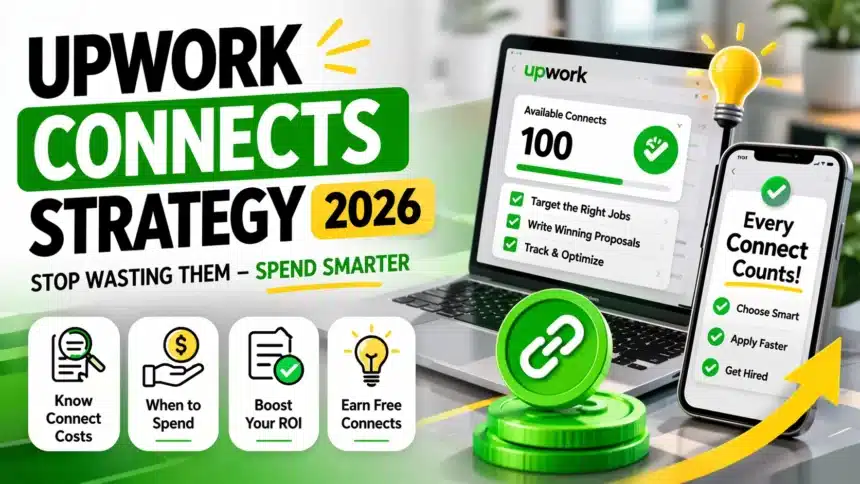
TL;DR: Upwork Connects are a virtual currency used to submit proposals on the platform. The Basic plan gives you only 10 free Connects per month, while the average job requires 6–16 Connects per proposal. Without a clear strategy, this resource runs out in minutes. This guide covers the actual cost of Connects, when spending them delivers ROI, when to skip a job entirely, and how to earn free Connects, so every Connect you spend moves you closer to a real interview.
You joined Upwork. Your account got approved. You saw 40 free Connects sitting in your account. It felt like progress. Then you submitted 4–5 proposals, different jobs, quickly, and the Connects were gone. No replies. Zero interviews. This is the confusion that nearly every Upwork beginner faces in 2026.
The Upwork Connects system feels counterintuitive at first: you pay to apply, and there’s still no guarantee. The data explains why: the Basic plan gives only 10 free Connects per month, and the average Upwork job requires 6–16 Connects per proposal. One wrong choice can burn an entire week’s budget.
The point of this guide isn’t to avoid spending Connects. It’s to invest them, not waste them.
When Neemesh built EduEarnHub’s content strategy, the core lesson was that focused, targeted effort consistently outperforms broadly scattered effort. The same logic applies here. Before you go further, it’s worth reading about how to start freelancing in 2026, a clear Connects strategy fits into a larger foundation.
What Are Upwork Connects, And What Role Do They Play in 2026?
Upwork Connects are a virtual token system where freelancers must purchase or earn currency to submit proposals. These tokens are not limited to proposals alone: you can use them to boost a proposal (to appear higher in a client’s list), activate the Availability Badge (which signals to clients that you’re ready to take on work), and access certain ad products on the platform.
Each Connect is worth approximately $0.15 (USD), and they can be purchased in bundles or custom amounts through Upwork’s Connects Calculator tool. The system was introduced in 2019, originally designed to reduce spam, and has since become Upwork’s primary bidding mechanism.
The reason this matters for beginners: when you submit proposals without thinking, you’re spending a limited advertising budget without any tracking. Freelancers who take Connects seriously treat them as a business expense, not an impulsive click.
If you’ve looked at a comparison of Upwork vs Fiverr and other platforms, you’ll notice that Upwork’s Connects model specifically attracts a client base that tends to be serious and long-term. That’s why investing in proposals here can be worthwhile if you apply to the right jobs.
How Many Connects Do You Get, And Why Isn’t It Enough?
Basic plan (free): Just 10 Connects per month. These are added on the first day of your billing cycle. Since the average job requires 6–16 Connects, you can genuinely afford only 1–2 proposals per month on the free plan.
Freelancer Plus (~$20/month): You receive 100 Connects per month, 90 with the plan and 10 free from Upwork. This plan also includes competitor bid insights, real-time job alerts, and a 0% service fee on Direct Contracts. According to FreelanceFilter’s analysis, Plus subscribers have a hire rate 50% higher than Basic users.
Ways to earn Connects through the badge system:
- Rising Talent badge: 30 free Connects
- Top Rated badge: 30 free Connects
- Top Rated Plus badge: 30 free Connects
- Signup bonus: 40 Connects (new users only)
- First-time boost reward: 10 Connects (one-time)
- Interview bonus: variable Connects (from established clients)
Maximum badge earnings: 90 Connects total. If you skip a badge level, the Connects combine, so skipping Rising Talent and earning Top Rated directly gives you 60 at once.
One important rule: Connects expire one year after the date of issue. Buying in bulk and then going inactive means you’re literally letting money expire. Zenlance’s research identifies this as one of the most common mistakes beginners make.
Practical math for beginners: If you’re on the Basic plan and buy 20 extra Connects ($3), you have enough for roughly 3–4 targeted proposals. That’s enough if you choose the right jobs.
When to Spend Connects, When to Skip: The 5-Signal Checklist
Before submitting any proposal, check these 5 signals. The more green flags present, the better the ROI on your Connects.
Green flags (spend your Connects):
- The client has a verified payment method – Proposals on unverified jobs are almost always wasted. Upwork data shows that jobs from clients without verified payments are disproportionately abandoned or fraudulent.
- The job was posted less than 2 hours ago – Timing is critical. A job with 5 applicants and a job with 40 applicants are fundamentally different opportunities, even if your proposal is identical.
- Applicant count is under 10 – According to SnipeWork’s 2026 analysis: under 10 applicants = excellent; 10–20 = good; 20–50 = competitive; 50+ = skip unless your profile is exceptionally strong.
- You can deliver 80%+ of what’s required – Only apply to jobs where you can deliver with confidence. Stretch roles produce weak proposals.
- The scope is clear, and the budget is realistic – Vague requirements or unrealistically low budgets are red flags. Spending Connects rarely pays off.
If fewer than 3 conditions are met, skip and move to the next job.
The math behind this discipline: According to GigRadar’s Connects calculator, a standard proposal costs $2.40 in Connects. Agencies that bid broadly see only a 5% reply rate, meaning the cost per reply reaches $16. Freelancers who send niche-targeted proposals see reply rates of 15–25%, and cost per hire drops dramatically. Quality of allocation matters more than quantity of Connects.
Deciding on your niche is part of this equation. The high-paying freelance skills 2026 guide is a useful starting point for identifying where to focus.
Proposal Timing: When Speed Is Your Biggest Advantage
Upwork’s job feed is chronological and competitive. When a job is posted, the proposals that arrive in the first 2 hours form the first batch, and clients often review and hire from this batch before being overwhelmed by volume.
According to OutBid’s research, speed is specifically the biggest advantage available to new freelancers. When a client has 3 proposals, they evaluate each one on merit. When they have 40, they filter by badges, Job Success Score, and reviews, which filters out beginners before anyone reads their proposal.
What speed means practically:
Set up job alerts – Add your exact niche keywords to Upwork’s saved searches. Turn on notifications. Check fresh jobs first thing every morning and apply immediately to those that genuinely match your skills.
Set a daily cap – OutBid recommends a maximum of 5–8 proposals per day for beginners. This is not a volume game, it’s a precision game. Five well-targeted proposals consistently outperform twenty generic ones.
Identify and skip stale jobs – If a job post has already received more than 15 proposals, it’s almost always past its useful window. Spending Connects rarely returns ROI.
Speed and quality aren’t in conflict if you follow one simple rule: if you can’t write something specific about that particular job in your proposal, don’t apply. A generic opener is a wasted Connect.
Boosting: When It’s Worth It, When It Isn’t
Upwork lets you spend extra Connects to move your proposal higher in the client’s view. This feature is widely used in 2026 and widely misunderstood.
Boosting is a multiplier, not a fix. If the proposal is weak or the job isn’t a strong fit, boosting only increases visibility, not conversion. You spend more Connects and still get ignored.
When boosting makes sense:
- The job is in your exact niche
- The post is fresh (within 2–3 hours)
- Applicant count is still low
- Your proposal is strong and specific
- The project value is high
SnipeWork’s example: spending 20 extra Connects ($3) to appear first for a $10,000 project is a rational bet. But boosting a mediocre proposal on a $300 marginal-fit job, that’s money lost.
Practical rule: Boost only when you can genuinely check all 5 signals on the checklist. In every other situation, fix the proposal first.
One more note worth understanding: according to GigRadar’s analysis, boosts can be partially refunded if your bid was higher than the final winning amount. This isn’t a reliable source of free Connects, but it means boosting doesn’t always cost the full bid amount.
Writing winning proposals is what makes a boost actually work, visibility only matters if the proposal itself is strong.
6 Legitimate Ways to Earn Free Connects
You don’t always have to buy Connects. There are structured ways to earn them:
1. Complete badge milestones. Rising Talent, Top Rated, and Top Rated Plus each give 30 Connects. These are earned through consistent delivery and good reviews. According to Upwork’s official badge documentation, the maximum you can earn through badges is 90 Connects total.
2. Complete onboarding tasks. New users earn bonus Connects for completing profile setup, identity verification, and watching how-to videos. These are quick wins that most beginners overlook.
3. Get an interview with an established client. When an established client invites you to interview, Upwork may award a variable Connects bonus. This is inconsistent, but it’s a real source.
4. Boost a proposal for the first time. Successfully boosting a proposal for the first time earns 10 Connects (a one-time reward). Small, but free.
5. Watch for promotional offers. Upwork runs occasional promotions. Check your Connects history tab regularly to catch these.
6. Build a profile that attracts invitations. This is the highest-leverage approach long-term. When clients invite you directly to a job or send a Direct Offer, zero Connects are deducted. According to GigRadar, repeat clients who open new contracts directly also cost zero Connects.
The implication is significant: the best long-term Connects strategy isn’t the one that buys the most. It’s the one that gradually reduces dependency on Connects by building a profile, reputation, and client relationships that generate inbound work.
This is also why setting your freelance rates correctly connects to your Connects strategy. When you communicate value clearly, your invitation rate improves, and your need to cold-bid decreases.
Treat Connects as an Investment, Not a Cost
Shifting how you think about Connects changes how you use them. They’re a budget, and every spend should have an expected return.
Key takeaways from this guide:
- Basic plan gives 10/month, enough for roughly 1–2 targeted proposals. Choose them carefully.
- Run every job through the 5-signal checklist before applying.
- Speed matters: apply to fresh jobs within the first 2 hours whenever possible.
- Boost only when your proposal is strong, and the job is a genuine fit.
- Badges, invitations, and repeat clients gradually reduce your dependency on buying Connects.
Your goal isn’t to send proposals. The goal is to land interviews and convert those interviews into contracts.
When Neemesh built EduEarnHub’s content strategy, the core principle was that a targeted, niche-focused effort consistently outperforms a high-volume, random effort. The same principle applies to managing Connects on Upwork: fewer, better-targeted moves win over spray-and-pray bidding every time.
The next piece of the equation is proposal quality, which matters just as much as allocation. How to write winning proposals covers the full breakdown.
What’s the most common mistake you’ve made with Upwork Connects? Share in the comments, real examples help everyone learn faster.
Frequently Asked Questions
How many Connects does one Upwork proposal cost?
It depends on the job’s size, scope, and market demand. According to Upwork’s official documentation, proposal costs range from 2 to 16 Connects, and this number can change while a job is still live. Most standard jobs fall in the 6–16 Connect range. The required amount is displayed on the job post before you apply, factor it into your decision before clicking Apply.
Are Connects refunded if you don’t get hired?
No, not in most cases. If a client rejects your proposal, hires someone else, or lets a job expire, your Connects are not returned. Upwork refunds Connects in only two situations: first, if the client cancels the project before a contract is formed; second, if Upwork removes the job post for a Terms of Service violation. This is exactly why every proposal should be a deliberate decision.
Should beginners pay for Freelancer Plus?
Not immediately. Start on the Basic plan, practice sending targeted proposals, and understand your win rate first. Freelancer Plus makes financial sense when you’re consistently submitting 15–20 proposals per month, or when your conversion rate is stable, and more Connects would genuinely produce more ROI. Upwork’s official Plus guide details the comparison: 100 Connects ($15 in value) plus competitor bid insights. The math works if you’re active at that level.
Do Connects expire? Yes. Connects expire one year from the date they were issued.
They are used in FIFO (first in, first out) order, older Connects are spent first. If you buy a large batch and then slow down your activity, that value will expire unused. Check expiry dates periodically in your Connects history tab.
Can you get work on Upwork without spending Connects?
Yes, in certain situations. When a client invites you directly to a job, sends a Direct Offer, or purchases a Project Catalog listing you’ve published, no Connects are deducted. Long-term, the strongest strategy is building a profile that attracts invitations through strong positioning, reviews, and niche expertise. According to GigRadar’s research, ongoing work with repeat clients also costs zero Connects, a compelling reason to treat every first contract as the start of a relationship, not just a transaction.